
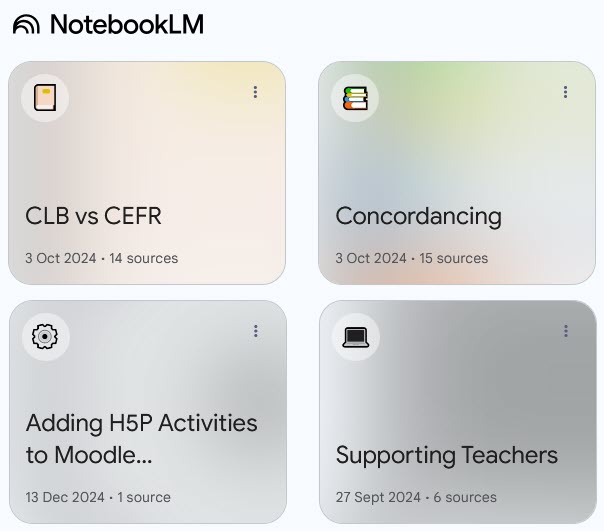
A screen grab of a NotebookLM Notebook.
The hype pinnacle was NotebookLM’s podcasts, termed “audio overview,” that created deep dive AI generated podcasts. The AI hosts present realistic human voices to simulate engaging audio discussions based on the content of input documents. Beyond the appealing podcast generation feature, can this tool offer educators potential ways to transform the way they design and deliver language instruction?
In this post I offer an opinion of NotebookLM’s potential to empower language teachers, enhance their instruction, and assist them to create richer learning experiences for students based on my recent experience with this tool.
What is NotebookLM?
NotebookLM is an AI powered tool designed to interact with text-based documents and notes. This includes visual and auditory media as it converts the scripts of digital videos and audio files to text to be processed. Digital videos and audio clips can be transcribed and used by NotebookLM to create information sources for processing.
Once the sources have been selected, the instructor can open a notebook, choose one of the suggested query options or create a prompt. NotebookLM summarizes and expands on information. The details of the query instructions and source materials as well as the outputs are stored in notes in the notebook.
What is NotebookLM Notebook?
A notebook in NotebookLM is a digital binder that stores output notes which can include ideas and key data. Notebooks can have several notes to separate sub-topics. Notebooks are stored in the My Notebooks dashboard on your account.
NotebookLM Quick Facts
- free when logged into Google
- an account can have up to 100 notebooks
- up to 50 source media can input to create output
- sources can include, Google Docs/Slides, websites, YouTube videos, PDFs, copied text
- original citations save to notes
- Notebook outputs may include:
-
- summary
-
- audio podcast
-
- FAQs
-
- Timeline
-
- suggested questions
-
- briefing document
-
- table of contents
- outputs can be customized
Benefits of NotebookLM and Language Instructors
For language teachers, NotebookLM offers possibilities. These can empower educators by assisting them to quickly curate content and assist with research by:
- analyzing large bodies of data
- summarizing complex topics
- locating specific linguistic examples (concordancing)
NotebookLM can help create robust learning experiences including lessons and learning objects by:
- streamlining lesson planning through brainstorming and generating activities or assessments based on source texts
- developing personalized individual learning plans
- creating multilevel specific content producing a scaffolding support system, NotebookLM can suggest lesson plans or activities that align with these objectives
Recently, I worked on two projects to integrate CLB levels into an English for specific purposes set of learning materials. I used NotebookLM as my generative AI tool. I found that, after the luxury of adding 23 source documents and videos to my project’s notebook, I did not really have the need to use the Audio Overview deep dive podcast and the Timeline features. I did, however, benefit from the FAQ, the Briefing Document and the Study Guide.
These provided a great deal of detail that I used to enhance my subject knowledge and ideate new learning paths and activities. However, after this initial success, I found myself prompting NotebookLM in the same manner as I do with ChatGPT. I will use NotebookLM for projects in which I require new knowledge or teaching experiences.
Final thoughts
The AI functions mentioned above can be performed by AI tools, however, NotebookLM’s dashboard organizes and makes these functions less complicated than the do-it-yourself method with core generative chat tools such as ChatGPT.
I have concluded that NotebookLM is not for everyone. It will work better for instructors if they enter the relationship with NotebookLM as a study buddy. It is an excellent resource for condensing, summarizing input sources of information to present instructors with content that they can integrate into other tools such as H5P, Articulate Storyline, or Canvas. Both the instructor and NotebookLM take on a heavy load when creating new learning opportunities.
Resources
Booth, Harry. (Oct, 2024). AI Explains It All Google NotebookLM. Time Magazine. https://time.com/7094935/google-notebooklm
NotebookLM, https://notebooklm.google.com

1 Comment
Bexi, From my experience, I have found that AI tools do assist in many useful ways, but when it comes to shaping and molding the information, it takes a lot of consideration, creativity and work based on my education and experience to create final learning objects. So , I feel that AI has the potential to enhance my workflow.