
Recent training experiences with fully online and blended learning instructors have inspired me. Instructors asked if there were any alternate activity types for their lower-level learners. They asked for short, intuitive, game-like, reinforcement activities.
These questions motivated me to share a wealth of learning opportunities for those with the luxury of teaching with an H5P compatible digital platform. I suspect that the issue is that the majority of the H5P activities I have seen on learning management systems and H5P open archives are complex learning objects. Complex H5P learning objects include Course Presentation, Columns, Interactive video, Question set, and the Interactive book. In a past TESL Ontario blog post, H5P Power tools, I detailed these if you want to learn more about them.
I referred to these as power tools as they allow educational materials creators to use multiple H5P tools within one power tool to structure learning events to meet their teaching requirements. For example, a column tool can include more than 20 of H5P’s features, including video, audio, a variety of question types, navigation and more. Most of these are not considered by instructors to develop original learning objects as they are perceived as time-consuming projects and commonly instructors are not compensated for their development time. Free archives such as Tutela.ca, the Avenue Course Builder and the eCampusOntaro H5P Studio allow us to access H5Ps and place them on our courses. However, there are not many exemplars of small H5P activities in the adult language teaching and settlement sector through these sources.
The good news is that there are a dozen or so easy to author H5P activities that can be added to H5P compatible online courses. These include LUMI, Moodle, BrightSpace, Canvas, Blackboard and H5P.com itself. Each of the H5P tools below embody the following characteristics.
- intuitive to use
- interactive
- learning management system compatible
- single, short and focused activities
- independent learning catalysts
- self-paced
- skill-building
- media-rich (check at the end)
Easy-to-Make H5P Tools
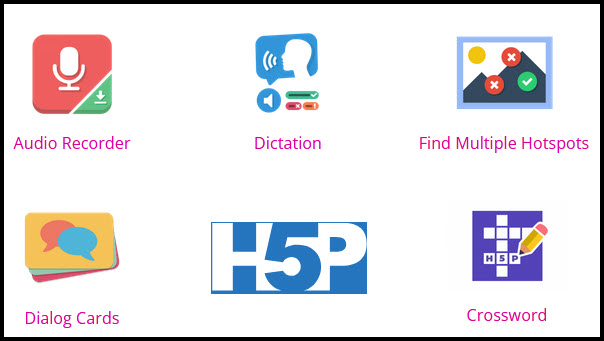
Audio Recorder
The audio recording tool is a simple digital audio recorder. It allows learners to practice pronunciation and to respond to prompts. The students use basic audio controls (play, pause, stop, and record) to create recordings for instant playback or downloading for future purposes. Students can also use the retry feature to repeat the recording activity. This short activity can be used for just-in-time, reinforcement, rote, warm-up or additional speaking activities. Download an example and read Go to https://h5p.org/audio-recorder to try the H5P tool, download a copy and read a description of the tool’s features.
Crossword
The crossword tool is a digital version of a familiar activity. Learners read, watch, or listen to clues. Then they think about the meaning or answer and try to identify the word and spell it in the designated squares. This is good for recalling vocabulary, identifying word forms, synonyms, and context clues. H5P crossword allows the teacher the choice of adding video, audio, and image clues as well as the standard text clue. Word scores, retry, and apply penalties are options the teacher can set up as they require. Go to https://h5p.org/content-types/crossword to try the H5P tool, download a copy and read a description of the tool’s features.
Dictation
The dictation tool allows instructors to create independent dictation tasks. It allows learners to practice accurate spelling, typing, syntax awareness, short-term memory and self-checking. In addition to the audio prompt, instructors can display video, text, or an image. In addition to this, instructors can record a normal speed sound clip and a slow version of the same sound clip as an option for the learners. Teachers can also define alternate spelling for the dictation responses. Students can repeat each item if needed. There are additional settings to customize the activity. This short activity can be used to reinforce structures, to warm-up, or for additional speaking activities. Go to https://h5p.org/dictation to try the H5P tool, download a copy and read a description of the tool’s features.
Dialog cards
This tool is like digital flash card apps. On one side of the card displays hints and the other reveals an answer. There are no points assigned to this activity. It allows instructors the option to add an image, audio clip, and text tips to enhance each card. The cards appear in a horizontal scroll navigated by a swipe or arrows. Cards can be randomized within the set. Students can also repeat the card set for practice and reinforcement purposes. This short activity can be used for vocabulary acquisition, vocabulary reinforcement, pre-reading or listening vocabulary familiarization, and self-paced practice. Go to https://h5p.org/dialog-cards to try the H5P tool, download a copy and read a description of the tool’s features.
Find Multiple Hotspots
Learners find the correct spots on an image. Background images can be any topic. The teacher determines where and how many correct hotspots need to be chosen to complete the activity. Feedback can be added for each student attempt. This activity can be used to demonstrate vocabulary knowledge, comprehension of instructions, to identify location descriptions, and to connect concepts to images. Go to https://h5p.org/find-multiple-hotspots to try the H5P tool, download a copy and read a description of the tool’s features.
Final advice
Each of these tools presents a simple form in which text, media, and links are added into fields. Most of the real work is in the planning, gathering or creating of the media and the skill of preparing the structure for some of these activities. Resources such as the Openverse are very useful for locating images to complete your original activities. If you have tried any of these tools or can recommend any others, feel free to comment below.
Join us for a Tutela.ca webinar that will demonstrate how to create and use each of these H5P features on May 5, 2026, 6:00 pm. EDT
Resources referenced
BrightSpace, https://www.d2l.com/brightspace
Blackboard, https://www.blackboard.com
Canvas, https://www.instructure.com/canvas
eCampusOntaro H5P Studio, https://h5pstudio.ecampusontario.ca
H5P, https://h5p.group
H5P Audio Recorder, https://h5p.org/audio-recorder
H5P Crossword, https://h5p.org/content-types/crossword
H5P Dictation, https://h5p.org/dictation
H5P Dialog cards, https://h5p.org/dialog-cards
H5P Find Multiple Hotspots, https://h5p.org/find-multiple-hotspots
H5P Image hotspots, https://h5p.org/image-hotspots
H5P Power tools, TESL Ontario Blog, Jan 24, 2022, https://blog.teslontario.org/h5p-power-tools
LUMI, https://lumi.education
Moodle, https://moodle.org
Openverse, https://openverse.org
Tutela, https://Tutela.ca
Image credit: John Allan

Leave a Comment
Your email address will not be published. Required fields are marked *